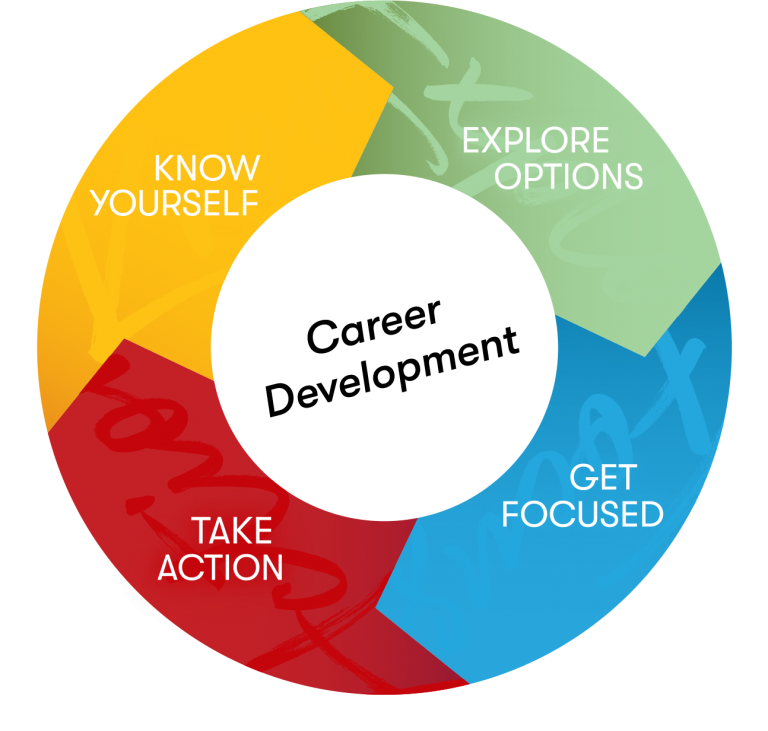
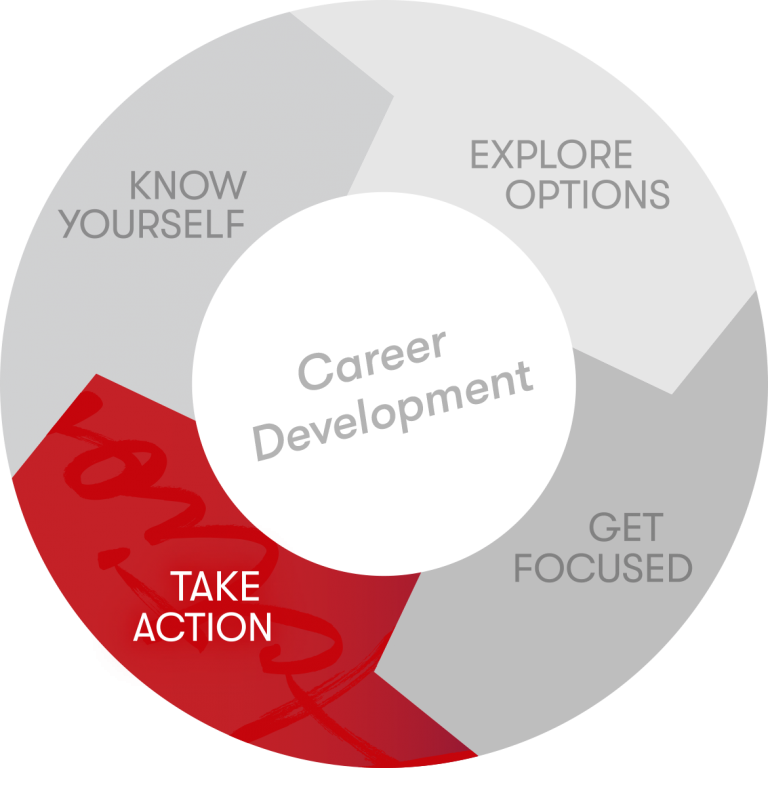
The career planning process can help you in your quest to find a satisfying career. Our career planning model guides you through the steps to forge your own career path.
Career planning steps
- Know Yourself
Take stock of your skills, interests, and values.
- Explore Options
Explore jobs, trends, and training for career fields you are considering.
- Get Focused
Set goals for yourself, make decisions, and plan for action.
- Take Action
Steps you can take to keep you moving towards your goals.
Guiding principles
- Trust the process. It may seem confusing initially but trust that clarity will come.
-
Risk is involved. We all get comfortable, even in a job we don’t like. This process involves getting out of your comfort zone and into your stretch zone.
-
Be curious. Curiosity really helps us in this process. What are you curious about? Follow the thread to see where it takes you.
-
Action is key. People want to have it “all figured out” before doing anything. But you can’t figure it out until you take action.
- Have fun. Enjoy the process.
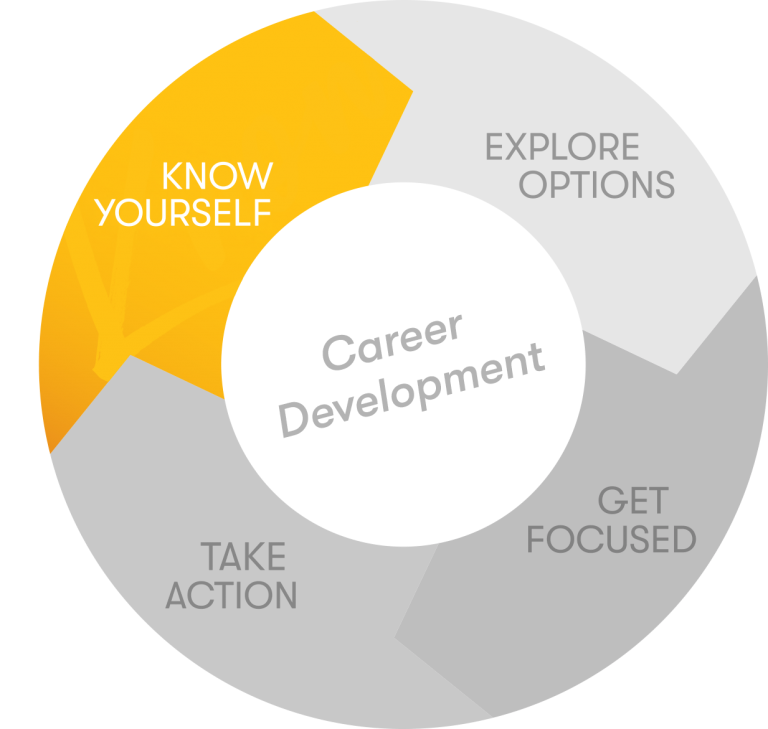
Know Yourself
Reflecting on your skills, values, and interests is a valuable part of the career planning process. Even if you know what you want to do, assessment can help you refine your goals.
Self-assessment
Assess your interests, skills, values, and personality/work style using the resources below. Then, review the results of all your assessments. Think of it as a puzzle with each group of results as an individual piece.
Our assessment results overview worksheet is available so you can have all your assessment results in one place.
This is an accordion element with a series of buttons that open and close related content panels.
Interests
Interests are the strongest predictor of job satisfaction. Many people have an idea of their interests but don’t know how they connect with the world of work. Here are some activities to get you started on learning more about your interests.
- Reflecting on your past/current jobs, make a list of what you like and dislike. Keep in mind that our likes and dislikes change over time so taking stock can help you make decisions about future job/career choices.
- Our visual and interactive Holland code activity can help you to identify your interests and determine how they correspond with occupations.
Other interest assessments:
- O*NET Interest Profiler – FREE. Sponsored by the U.S. Department of Labor, this is a free assessment. Results include a list of careers related to your interests.
- Self-Directed Search (SDS) – SMALL FEE. The SDS is a career interest inventory offered by Psychological Assessment Resources (PAR), typically for a small fee.
Skills
Most people have between 200 and 500 skills! There are three categories of skills:
- Adaptive/self-management skills = personality traits or characteristics
- Job skills = skills specific to a particular job
- Transferable/functional skills = skills used in many different jobs
The key is identifying not only what skills you have but also the skills you enjoy using.
Our Motivated Skills activity can help you determine your power skills (the skills you are good at and also enjoy using).
Values
Values are the emotional salary of work and help determine what gives work meaning. Taking time to understand your work values can help you find work that is fulfilling.
Take our Values Clarification activity to help discern your values.
Personality preferences
Understanding your personality preferences can help you with the career planning process, both in determining career fields but also work settings that might be a good fit.
Learn about your preferences
- Available at no cost, 16 Personalities is a short personality assessment analyzing your personal traits.
- Also free, O*Net’s Work styles provides another way of looking at preferences.
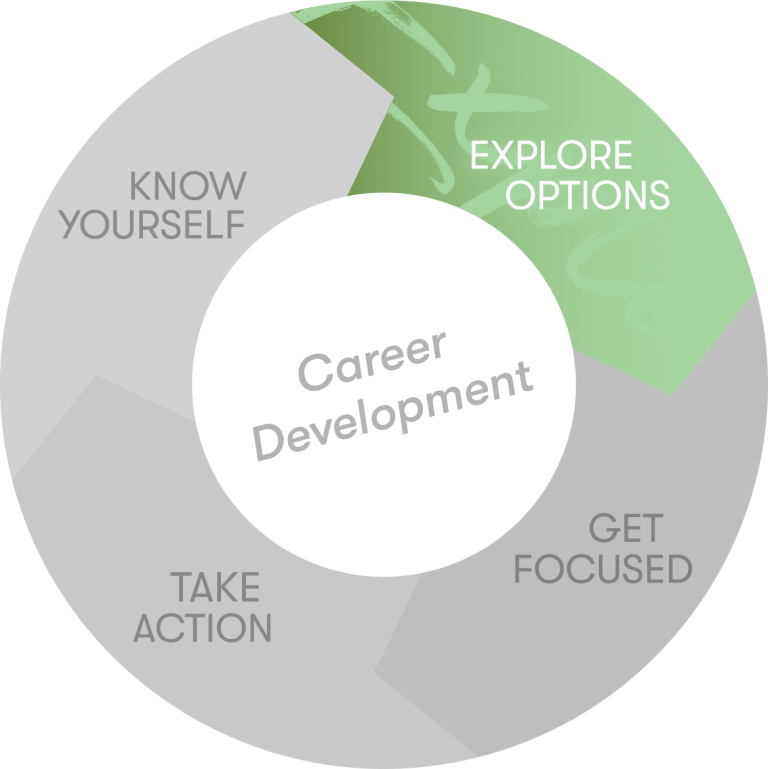
Explore Options
After you have spent some time getting to know yourself, it is time to begin exploring options that might be a good fit with your skills, interests, values, and work style. Use the resources on this page to learn about occupations, labor market, and training options.
This is an accordion element with a series of buttons that open and close related content panels.
Occupation research
Resources for learning more about career fields that interest you.
- O*Net Online Includes tools to search for careers based on your skills, interests, work styles and more.
- Occupational Outlook Handbook Learn about careers of interest to you.
- Professional organizations A great way to learn about a new industry or career field. Many organizations include preparation, training, and education information on their websites.
Informational Interviewing
What is informational interviewing?
There is no way of knowing with 100% certainty what a new profession might be like, but informational interviewing is a proven way to learn more. Informational interviews are initiated and conducted by you to obtain information from people working in the field. An informational interview is often low-key and informal and is not a job interview.
Benefits of informational interviewing
- Acquire firsthand, relevant information about working within a specific field of interest and/or a specific organization of interest to you
- Clarify your career goals
- Learn about career paths related to your field of interest
- Gain insider knowledge and advice from professionals in the field
- Develop and expand your professional network in your field of interest
A few guidelines
- Never ask for a job
- Be prepared and respectful
- Get names of other people to contact
- Don’t offer your resume unless asked for it
Why would anyone want to talk to me?
Believe it or not, people who are happily employed enjoy talking about their field and may even feel honored that someone wants to know about what they do.
Follow these steps:
- Identify people to interview
- Your current contacts. People you know, even if they aren’t in your field of interest, can often lead you to people who are. Ask family, friends, and acquaintances if they know anyone who works in that field.
- College or university. Most universities and colleges maintain an alumni database. Check with your school’s alumni office. Reconnect with past instructors.
- Social media. LinkedIn, Facebook, X (formerly known as Twitter), WeChat, What’s App, and other social media sources can be great ways to connect with all kinds of people.
- Community resources. Check with your local library. Talk with people you see on a regular basis: other parents or teachers at your kid’s school, your barber or hairstylist, your neighbors, etc.
- Company/organization websites. Identify companies or organizations in your field of interest, and find phone numbers or emails of people doing the type of work you want to do.
- Professional organizations. Do a search to see if there is a professional organization for your field of interest. Hint, the board of directors is usually a good starting place.
- Still having problems identifying someone? You might need to broaden the area before narrowing it again. For example, if you are interested in becoming a firefighter and can’t find one to talk with, ask your Aunt Sue, the police officer, if she knows any firefighters. Chances are pretty good that she does.
- Prepare
- Determine your primary purpose. Are you curious about the day-to-day activities; the work climate in a particular field; and the steps for getting into that field? New to town and trying to get the lay of the land in your current field? Do you want to know more about a specific company?
- Write your questions. Write out 5-10 questions that meet your informational needs; the number will depend on the length of the interview. Ask open-ended questions; leave time and anticipate the person will talk about topics that you may have not asked about.
- Do your homework. Learn much as you can about the types of positions and the organization, so you can ask questions that websites can’t answer.
- Initiate contact
- Call or email. Contact the person you want to interview. Mention how you got their name.
- Request the interview. Ask for a convenient time to have a 20-30 minute appointment and if they prefer an in-person, virtual or phone appointment.
- Emphasize what you want. Make sure they understand you want to set up an informational interview, not a job interview.
- Be ready. The person may say they have time while you are on the phone with them so be ready to ask questions on the spot. If the person you contact is not able to talk with you, ask if they can refer you to someone else in the field.
- Conduct the interview
- Dress professionally. Dress as you would for an interview.
- Respect your interviewee’s time. Arrive on time or a few minutes early.
- Limit the meeting to the agreed-upon time frame.
- Have your questions ready. Make sure you are organized and that your questions are clear. Ask follow up questions as necessary and take notes.
- You’re in charge. You need to initiate and keep the conversation going.
- Before concluding. Be sure to ask for names of other people and if you may follow up with additional questions.
- Follow up
- Reflect. Go over your notes after the interview.
- Keep a record. Maintain a list of people you’ve talked with, what you learned, and what else you still would like to know.
- Send a thank-you. Whether by email or card, send a thank you within 1-2 days of the interview, perhaps noting one or two points you found particularly helpful.
- Reach out. If your interviewee recommended others to talk with, make sure you reach out to them and ask for time to meet. Then repeat the above steps!
We recommend talking with 3 or more people in your field of interest to get a comprehensive view of what the work is like and how it might vary depending on the setting.
Suggested Questions
Select 5-10 questions that are appropriate for your target career and stage of decision-making. You may want to combine some questions—or create your own.
Preparation questions
- What credentials, educational degrees, licenses, etc. are required for entry?
- How did you get started in this field? Is that typical? How have entry requirements changed?
- What kind of work experience provides a good background?
- What is the profile of someone who is successful in this field?
- Are there volunteer opportunities that would help someone qualify for a position in this field?
Position-related questions
- What do you like most and least about your job?
- What do you spend most of your time doing in a typical work day/week?
- What problems/decisions are you likely to face on a given day?
- What do you wish you had known prior to entering this field?
- Where do you see yourself going from here?
Lifestyle questions
- How much flexibility do you have in terms of dress, vacation, place of residence, modality of work (in-person, hybrid, or remote), and work hours?
- What obligations does your work place upon your personal time?
- Does your company offer flex or comp time? Tuition reimbursement? Other benefits?
Employer questions
- Who determines what tasks you will work on and how you structure your time?
- How would you characterize your working relations and environment (formal, informal, etc.)?
- Do you primarily work alone or collaborate with others?
- How are decisions made? What is the company’s management philosophy?
- What are the criteria on which your performance is evaluated?
Career field/industry questions
- What trends are emerging in this field?
- What are the most important areas in this field/industry?
- Is relocation ever necessary?
- How often do people in this field change jobs?
- What are the salary ranges for various levels in this field?
- What professional development or training opportunities are there?
- What are related fields or paths?
Advice questions
- Is it realistic for me to plan on working in this field?
- What professional associations or organizations might be useful to contact for information or join?
- What steps would you advise someone to take in order to start and build a career in your field?
- How does one hear about job openings in this field?
Next steps questions
- What other people do you think I would benefit from talking with? May I use your name when I contact them?
- If I have any further questions, may I stay in contact with you?
Labor market information
The labor market is an important factor when you are considering a new career. Here are questions to ask as you explore careers:
- What industries and occupations are growing in my area?
- What are the job openings in my area?
- What are the hot jobs?
- Employment projections
Information on the national labor market from the Bureau of Labor Statistics - Wisconsin labor market information
Wisconsin economic and labor market information - Industry Tools
Recent data on industries regionally and nationally.
Training
As you explore various career options keep in mind what, if any, additional training you might need.
- Find Training
Learn about options for short-term training, professional development, college, apprenticeships, certificates and more. - Employment and Training Programs
Find information about employment and training programs funded by the U.S. Department of Labor and whether you might qualify for them. - Peterson’s
Search engine for finding education programs. The College and Scholarship search is located in the upper left hand corner. - Distance education accrediting commission (DEAC) Explore options for accredited distance education.
- UW–Madison options
Education opportunities at the University of Wisconsin–Madison.
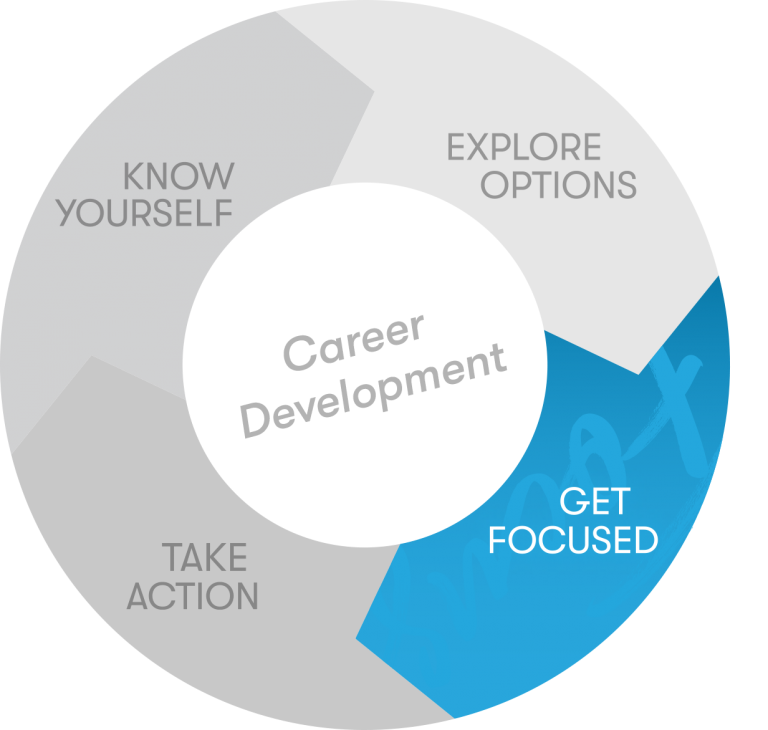
Get Focused
Once you know yourself and have explored your options, use the information you have gathered to reflect on your decision-making process, set goals, and plan for action.
This is an accordion element with a series of buttons that open and close related content panels.
Decision making
The idea of making a career change can be scary. What if I make the “wrong” choice? Well here is the good news, there are likely several good choices you can make. There is no way to know, with 100% certainty, if a career you choose will be a good fit but that’s why taking the time to explore your options is so important. Did you skip that step? If so, go back and review Explore options.
Use the information you learned exploring options to help you make a decision. Our Decision Making Obstacle worksheet can help with this process.
Goal setting
“It is always a good idea to have a game plan in life, but make sure you write it in pencil and have an eraser ready.”
– Anonymous student
Goals keep us moving forward in life. Whether your goal is doing that one next task at work or taking the first step to make a career change, you will have more success meeting your goals if you use SMART goals.
Action planning
Most of us think we need to have a firm career decision before we take action but the opposite is true. It is in taking action that we further refine our career plans.
- Action is the enemy of fear
- Act on your curiosity
- Act even if unsure of outcome
- Don’t get stuck searching for perfect action
Take Action
Once you have a plan, it is time for action!
This is an accordion element with a series of buttons that open and close related content panels.
Gain experience
Start by asking yourself, what types of skills and experience do you need to move into your dream job? Dipping your toe into a new field can also help you determine whether it’s a good fit for you, while also helping you build your network.
Volunteer
11 ways volunteering can help you find a job
Internships
Adult internships a growing trend
Part-time jobs
Side gigs or freelance work can be another great way to gain experience in a new field.
Connect with employers
Networking
What is networking?
Networking is the action of interacting with others to gather and exchange ideas, information and develop contacts. It’s about connecting with others to build mutually beneficial relationships.
When you are searching for a job, having a robust network is crucial. But don’t wait until you are searching for a job to connect. Networking can also help you on an everyday basis to keep up with the latest trends in your field, learn about a new career, and make connections for others building their networks.
Use LinkedIn
Utilize LinkedIn to connect and build your network. Here are a few tips:
- Make sure your profile is complete and updated
- Reach out to potential connections with a customized request
- Join LinkedIn groups that align with your interests, have many members, and are active
- Connect with alumni from your alma mater and join groups related to your school
Engage with your contacts by liking and commenting on their posts, providing your own status updates, and sharing articles or other content.
How to network
Identify your network
Everyone you know is in your network! Build on your network by asking someone you know for one or two names and then ask those people for names. Here is a list of ideas to get you started:
- family and friends
- co-workers (past and current)
- community members
- volunteer contacts
- professional groups
- college classmates, instructors, staff
- your college alumni association
Introduce yourself
Create a brief story (aka elevator pitch) highlighting your background and experience as it relates to what you are doing or want to be doing (for career changers). Practice your story. Use this story to introduce yourself to potential contacts. Have your contact information available and accessible.
Ask open-ended questions, listen, and be curious
Just as important as telling your story is listening to the stories of people with whom you wish to connect. Ask questions about their background, interests, advice, trends, etc.
Attend networking events
Some people loath the idea of attending networking events. Regardless of how you feel about such events, determine whether or not you think the event will benefit your objectives and if the right people will be there.
Be proactive
Offer to help on projects in the community or at work. Volunteer with an organization of interest. Set up coffee or lunch meetings with your connections. Take a class. Try something new.
Become a connector
Help those in your network connect with others in order to build their own networks.
Be intentional about social media
Trying to connect with someone at a specific organization? Ask your social media contacts if they know anyone there. Connect or reconnect with former classmates, coworkers, friends, etc.
Tips for building and maintaining your network
Join
Join at least one professional or trade association in your field or field of interest. Attend their meetings and get involved. Join organizations that best meet your needs.
Get involved with your alumni association. Pursue local chapters or set one up yourself. Submit current information concerning your career achievements to the alumni association and follow up with other alumni in your interest area.
Learn
Attend professional conferences. Introduce yourself to speakers and attendees. Obtain a list of attendees and speakers and keep in touch using LinkedIn or other methods.
Consider professional development programs an opportunity to increase your skills and knowledge, AND a chance to expand your network.
Attend short programs and speeches in areas of interest sponsored by networking groups, adult and continuing education, alumni associations, professional and trade associations, and community and governmental organizations.
Interact and participate
Keep in touch with professors and instructors of college, university, and adult and continuing education courses.
Plan on meeting your contacts regularly for breakfast, lunch, or coffee, whatever fits into your schedule.
Invite your contacts to attend professional meetings, programs, and speeches.
Introduce your contacts to each other and let others know you are open to and interested in meeting new people.
When looking for information, request recommendations and introductions from your contacts.
Keep your eyes and ears open to contacts’ news. Send notes of congratulations for noteworthy events. Send notes of encouragement and sympathy when appropriate.
Connect with authors of books and articles in your field. Establish and pursue a connection via social media (including LinkedIn) or email.
Offer to participate in user groups and committees in your organization. Be open to working with members of different departments and divisions within your organization.
Share
Contribute articles to LinkedIn, journals, and newsletters of trade and professional associations. Connect with the editors, staff, and readers.
Share articles of interest with your contacts and send or post them with a short note.
Recommend and exchange resources. Pass along reviews, newsletters, articles, reports, and program materials.
Follow up
Express appreciation. Send thank-you notes or take your contacts out to lunch.
Continue to grow your list of contacts and connect with people on a regular basis. Then maintain an active network by reaching out periodically to the people on your contact list.
Create a system for keeping track of your network of connections. Keep track of contact name, organization, position title, email, mailing address, LinkedIn profile, and phone numbers.
Resumes and cover letters
Most employers spend only 30-60 seconds reviewing resumes. In order to stand out, tailor your resume and cover letter to each position. Together these documents serve as a marketing tool to highlight your qualifications for the position and get you an interview. Use the guides and tips on this page to craft resumes and cover letters worthy of earning that interview.
Cover letters
Overview
The goal of your cover letter is to highlight relevant skills and experience through examples. It should also:
- show the employer you understand the organization
- demonstrate your writing and communication style
- show your passion for the work, the position, and the employer
Components
- Introduction and “Roadmap” Statement
The Introduction:- Where did you see or hear about the job? (If it adds value)
- Website, referral to job by employee, LinkedIn, etc.
- If possible, include a “connection” to the organization
The “Roadmap” Statement:
- The top 2-4 qualities you offer to the organization and a statement of confidence about your ability to use those qualities to excel in the position
- Choose based on top qualities the employer seeks that you possess
Example: “Because of my excellent management skills, intercultural competencies and passion for your organization’s mission, I would be an excellent candidate for this position.”
- Where did you see or hear about the job? (If it adds value)
- Body Paragraphs (Proof Statements)
- Follow the order listed in your Roadmap Statement
- Make connections for the employer between your skills and the needs of their organization
- Use specific examples, tell a brief STAR story
- What can you do for them?
- What do you bring that they need?
- Conclusion
Begin by generally restating your Roadmap statement:- “Given how strongly my skills match (potentially reiterate most important skills for position) your organization’s needs, plus my passion for your mission, I believe I am an excellent candidate for the Business Manager position.”
This is the place to mention:
- Contact information
- Finally conclude with “Thank you for your consideration, and I look forward to hearing from you” or something similar
Content
For your cover letter to stand out, it should be based on the job description and show how your skills and experience match those of the hiring organization.
To inspire your writing think about:
- What is it about the position that excites me?
- What are the unique strengths I would bring to the position?
- What have I done that demonstrates my ability to do the job?
- In what ways are the organization’s goals/mission consistent with my own?
- Use this as a chance to show you have done your research on the organization
Resources and Examples
Cover letter writing resources
- Madison Writing Assistance – Free resume and cover letter assistance
Online cover letter writing resources
- How to write a cover letter – from The Muse
- Free cover letter examples and writing tips – from The Balance
Examples
- The only cover letter guide you’ll need (+successful examples) – from LinkedIn
- Top cover letter examples (for all professions) – from Novoresume
- Cover letter examples for all job applications – from ResumeGenius
- 4 Cover Letter Examples – from The Muse
Resumes
General Rules
- Prioritize your content so that the most important and relevant experience is listed first. The best way to do this is to include a summary/professional profile at the beginning, including your skills relevant to the position.
- Keep to one to two pages in length. In general one page is the rule but if you have extensive experience or education, going to two pages is acceptable.
- Employers want to see relevant experience. If you have extensive experience, consider adding a note after your relevant experience section stating, “Additional experience available upon request.”
- Education should be listed at the end unless you have little work experience. Then list it after your summary/professional profile.
- Be consistent about how you list dates, use bullet points, title sections, and use indentation.
- Make sure your resume is easy to read by using a font style such as Aptos, Times New Roman, Calibri or Arial and a font size that is easy on the eyes. In most cases, 11-12 point fonts are best (except for headers which can be 14-16 point). Your content should not be too dense, you want the resume to have some “white space” for readability. Using bold font is fine as long as you don’t overdo it. Avoid underlining.
- Avoid mistakes with grammar and spelling. Mistakes are often interpreted as lack of attention to detail. If in doubt, look it up.
- Proofread! Get a few other people to read your entire resume and cover letter looking for spelling, grammar, spacing, or other mistakes. Then, proofread again. And one more time for good measure.
- When submitting online, your resume and cover letter should be sent as a PDF using a meaningful file name such as, BadgerBuckingham.doc
- Include a cover letter with your resume unless specifically asked not to.
Sections
- Contact information – Name, phone number, email address. It may also include your LinkedIn, blog, and/or online portfolio
- Summary, Professional Profile, or Highlights of qualifications – Highlights specific skills or knowledge the employer is seeking
- Experience – Your job title, employer name and location,dates worked there (it is acceptable to list years vs month and year). But be consistent throughout your resume. Under each experience, list 2-5 bullet points that describe your accomplishments or skills. Include relevant volunteer experience.
- Education – List college/university name, location, degree earned, major, and/or program, college/university name and location. Do not include dates. If you didn’t complete a degree at an institution, list the number of credits earned.
- Other sections – This varies depending on your experience or the job. Examples are, Technical Skills, Community Involvement, Professional Memberships, etc.
- What not to include – Personal information (height, weight, DOB, gender, race, social security number, religious affiliation).
Bullet Points
To list your skills and experience, use bullet points rather than paragraphs.
Writing effective bullet points
- Use power verbs
- Go beyond listing your “duties”
- Think about:
- Who did your job help?
- What were the results of your job?
- When did this task happen? Daily? Weekly? Etc
- Where did you do your work? Did you have to travel? Interact with people outside your organization?
- Why did you do this and how did your work help or benefit the organization?
- Quantify and qualify your experience.
- Consider creating a master resume of all your experiences so you can pull from it as you tailor your resume to each job. Add any new skills, tasks, and accomplishments to the master resume as you progress through your career.
Resources and examples
Resume writing resources
- Madison Writing Assistance – Free resume and cover letter assistance
- South Central Wisconsin Job Center – Free resume reviews
Online resume websites
- Blue Sky Resumes – Free information and samples. You can also pay a resume writer, but this tends to be expensive. Use this site to learn how to do it yourself. Before and after examples.
- The Balance – Resume formats with examples and tips.
- The Muse – Free job search articles, including resume information
Examples
- Best Resume Formats (With Examples and Formatting Tips) – The Balance
- Resume examples by industry and experience – MyPerfectResume
Power verbs
Planning
Example: Developed & implemented a training program that resulted in a 45% increase in employee satisfaction
- Administered
- Anticipated
- Commissioned
- Determined
- Developed
- Devised
- Evaluated
- Forecasted
- Formulated
- Identified
- Observed
- Planned
- Prepared
- Prioritized
- Researched
- Reserved
- Revised
- Strategize
- Studied
- Tailored
Organizing
Example: Coordinated weekly office schedules for 8 employees
- Acquired
- Activated
- Adjusted
- Allocated
- Altered
- Appointed
- Arranged
- Assembled
- Assessed
- Assigned
- Authorized
- Cataloged
- Centralized
- Charted
- Classified
- Collected
- Committed
- Confirmed
- Contracted
- Coordinated
- Customized
- Delegated
- Designated
- Designed
- Dispatched
- Established
- Facilitated
- Housed
- Implemented
- Incorporated
- Instituted
- Issued
- Linked
- Logged
- Mapped out
- Neatened
- Obtained
- Ordered
- Organized
- Procured
- Programmed
- Recruited
- Rectified
- Retrieved
- Routed
- Scheduled
- Secured
- Selected
- Simplified
- Sought
- Straightened
- Suggested
- Tracked
Executing
Example: Handled 20-35+ customer calls per shift regarding coverage changes, renewal rates and billing procedures
- Acted
- Administered
- Carried out
- Collected
- Completed
- Conducted
- Displayed
- Distributed
- Entered
- Exercised
- Forwarded
- Handled
- Input
- Installed
- Labored
- Merchandised
- Operated
- Performed
- Processed
- Produced
- Proofed
- Prospected
- Proved
- Shipped
- Sold
- Stocked
- Transacted
Supervising
Example: Developed and supervised the implementation of new computer filing system that reduced paper use by 35%
- Adjusted
- Analyzed
- Apportioned
- Assessed
- Certified
- Compared
- Controlled
- Corrected
- Correlated
- Developed
- Discovered
- Established
- Examined
- Explored
- Graded
- Indexed
- Inspected
- Judged
- Licensed
- Maintained
- Measured
- Modified
- Monitored
- Officiated
- Overhauled
- Oversaw
- Policed
- Prohibited
- Refined
- Regulated
- Reviewed
- Revised
- Screened
- Scrutinized
- Set
- Supervised
- Supplied
- Tightened
- Traced
- Updated
Leading
Example: Trained 20+ new employees on customer service policies over a 2-year period
- Accelerated
- Assumed
- Caused
- Chaired
- Changed
- Conducted
- Directed
- Disproved
- Elected
- Employed
- Empowered
- Encouraged
- Enlisted
- Envisioned
- Fostered
- Founded
- Guided
- Hired
- Influenced
- Initiated
- Inspired
- Involved
- Led
- Managed
- Mentored
- Motivated
- Originated
- Pioneered
- Promoted
- Raised
- Recognized for
- Set goals
- Spearheaded
- Stimulated
- Strengthened
- Supervised
- Trained
- Transformed
- Visualized
Getting results
Example: Increased student participation by 25% over a 6-month period
- Accomplished
- Achieved
- Added
- Advanced
- Attained
- Augmented
- Boosted
- Built
- Combined
- Completed
- Consolidated
- Constructed
- Contributed
- Delivered
- Demonstrated
- Diminished
- Earned
- Eclipsed
- Eliminated
- Enjoyed
- Enlarged
- Enlisted
- Ensured
- Excelled
- Expanded
- Expedited
- Extended
- Finalized
- Fulfilled
- Gained
- Generated
- Grew
- Guaranteed
- Hastened
- Heightened
- Improved
- Increased
- Innovated
- Integrated
- Introduced
- Invented
- Joined
- Launched
- Lightened
- Minimized
- Modernized
- Obtained
- Opened
- Orchestrated
- Overcame
- Prevailed
- Produced
- Qualified
- Realized
- Received
- Reduced (losses)
- Rejuvenated
- Renovated
- Restored
- Targeted
- Uncovered
Problem Solving
Example: Streamlined ordering using computer technology, decreasing wait time from six to two days
- Alleviated
- Analyzed
- Brainstormed
- Collaborated
- Conceived
- Conceptualized
- Created
- Debugged
- Decided
- Deciphered
- Detected
- Diagnosed
- Engineered
- Foresaw
- Formulated
- Found
- Investigated
- Recommended
- Remedied
- Remodeled
- Repaired
- Revamped
- Revitalized
- Revived
- Satisfied
- Solved
- Synthesized
- Theorized
Quantitative
Example: Converted files from COBAL to JAVA in order to increase compatibility with current systems
- Accounted for
- Appraised
- Approximated
- Audited
- Balanced
- Budgeted
- Calculated
- Checked
- Compiled
- Compounded
- Computed
- Conserved
- Converted
- Counted
- Dispensed
- Dispersed
- Earned
- Enumerated
- Estimated
- Figured
- Financed
- Grossed
- Increased
- Inventoried
- Maximized
- Multiplied
- Netted
- Profited
- Projected
- Purchased
- Quantified
- Rated
- Reconciled
- Recorded
- Reduced
- Tabulated
- Totaled
Communicating
Example: Presented to groups of 30+ transfer students on a weekly basis concerning university policies and procedures
- Acted
- Adapted
- Addressed
- Admitted
- Allowed
- Amended
- Arbitrated
- Argued
- Ascertained
- Attested
- Briefed
- Clarified
- Cleared up
- Closed
- Communicated
- Composed
- Concluded
- Consented
- Consulted
- Convinced
- Corresponded
- Critiqued
- Dedicated
- Solicited
- Specified
- Spoke
- Submitted
- Substantiated
- Suggested
- Summarized
- Defined
- Deliberated
- Demonstrated
- Drafted
- Dramatized
- Edited
- Educated
- Elicited
- Explained
- Extracted
- Fabricated
- Fashioned
- Greeted
- Highlighted
- Illustrated
- Improvised
- Indicated
- Inferred
- Informed
- Instructed
- Interpreted
- Interviewed
- Justified
- Supplemented
- Supported
- Surveyed
- Synthesized
- Systematized
- Taught
- Tested
- Lectured
- Marketed
- Mediated
- Moderated
- Negotiated
- Perceived
- Persuaded
- Presented
- Publicized
- Queried
- Questioned
- Referred
- Reinforced
- Related
- Rendered
- Reported
- Represented
- Revealed
- Sanctioned
- Settled
- Shaped
- Smoothed
- Sold
- Translated
- Transmitted
- Verified
- Welcomed
- Wrote
Helping
Example: Provided academic support for 30+ at-risk primary school students through a comprehensive after-school program
- Accommodated
- Advised
- Aided
- Alleviated
- Assisted
- Assured
- Bolstered
- Coached
- Continued
- Cooperated
- Counseled
- Dealt
- Eased
- Elevated
- Enabled
- Endorsed
- Enhanced
- Enriched
- Familiarized
- Helped
- Interceded
- Mobilized
- Modeled
- Polished
- Prescribed
- Protected
- Provided
- Rehabilitated
- Relieved
- Rescued
- Returned
- Saved
- Served
- Sustained
- Tutored
- Validated
Job search
- Job Center of Wisconsin
- Madison Writing Assistance
- Job Seeker Assistance at Madison Public Libraries
- Company Research
- Jobs at UW–Madison
- Current UW employees should apply for jobs through their Workday account. This applies to all campuses. No need to set up an external account.
What’s next?
Go be happy and successful in your new career! We wish it were that easy. The career change process often takes place over a couple of years. Here are some tips as you move forward with your plans:
- Life is unpredictable so remain flexible and make the most of unplanned events by:
- Keeping your options open
- Testing your dreams
- Not being afraid to make mistakes
- Taking action on your interests
- Career changes usually evolve over time – transition to a new industry can take a couple years.
- Consider a transitional job while pursuing a new career.
- For now, pursuing your interests via volunteer work may be enough.
Remember, our career planning model is ongoing and circular. Revisit the assessments in Know Yourself, go back and Explore (more) Options, Get (re)Focused, and keep Taking Action!
If you would like more assistance, please reach out to the Employee Career Counseling Program to set up a confidential appointment with one of our counselors.